Effortlessly switch to light or dark mode
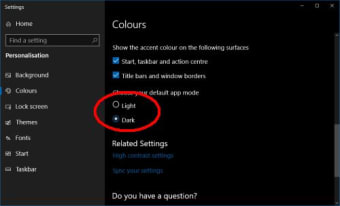
Switching between light or dark mode on your desktop will require some steps to do that are usually inconvenient and adversely slows down your work pace. With Easy Dark Mode, a personalization software tool, you will be able to immediately change your display color within just one click from your mouse. This lightweight app helps you facilitate the setup of the two display modes that are available on your Windows 10 device.
Top Recommended Alternative

Freely change your display mode with ease
This handy program utility can be officially be downloaded on WinTools.Info's developer page without any charge. With this, you no longer need to take time and dig deeper into your Windows 10 device's display settings just to change your PC's display either from light to dark or dark to light. It also freely supports dark modes in various web browsers like Google Chrome and Firefox.
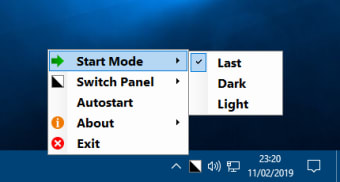
It's actually a portable software that requires no installation to run this app. An autostart mode can be applied if you wish to automatically launch this along with your operating system, for instance. On top of that, it also allows you to designate a hotkey for a much quicker start.
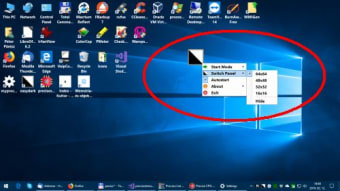
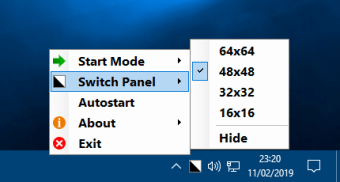
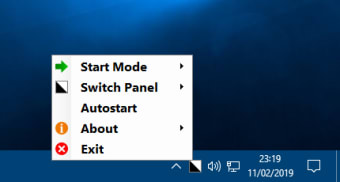
Once you've opened or launched this utility tool, its icon will automatically be placed on your computer's system tray. If you click on the icon, it will switch between Light or Dark mode. Not only that the icon can also lead you to access the application’s settings. Aside from a system tray-based icon, you are allowed to set a desktop icon also, in case you want. The same functions and settings are applied but with icon size options available this time.
Instant switch
Easy Dark Mode is a handy personalization utility program that makes changing of display modes even more instant. Scratch the usual steps to switch into light or dark mode. Embrace this convenient tool and transform your display color with just a single click. You can apply this not only for your Windows 10 device but also for the browsers you frequently use to skim the internet.











.png)